The spreadsheet is the pipeline
Every rep keeps their own copy. The manager rebuilds the total on Friday, and it is out of date by Monday.

Albero CRM gives your sales team one pipeline, one record per customer and the follow-ups done on a rule.
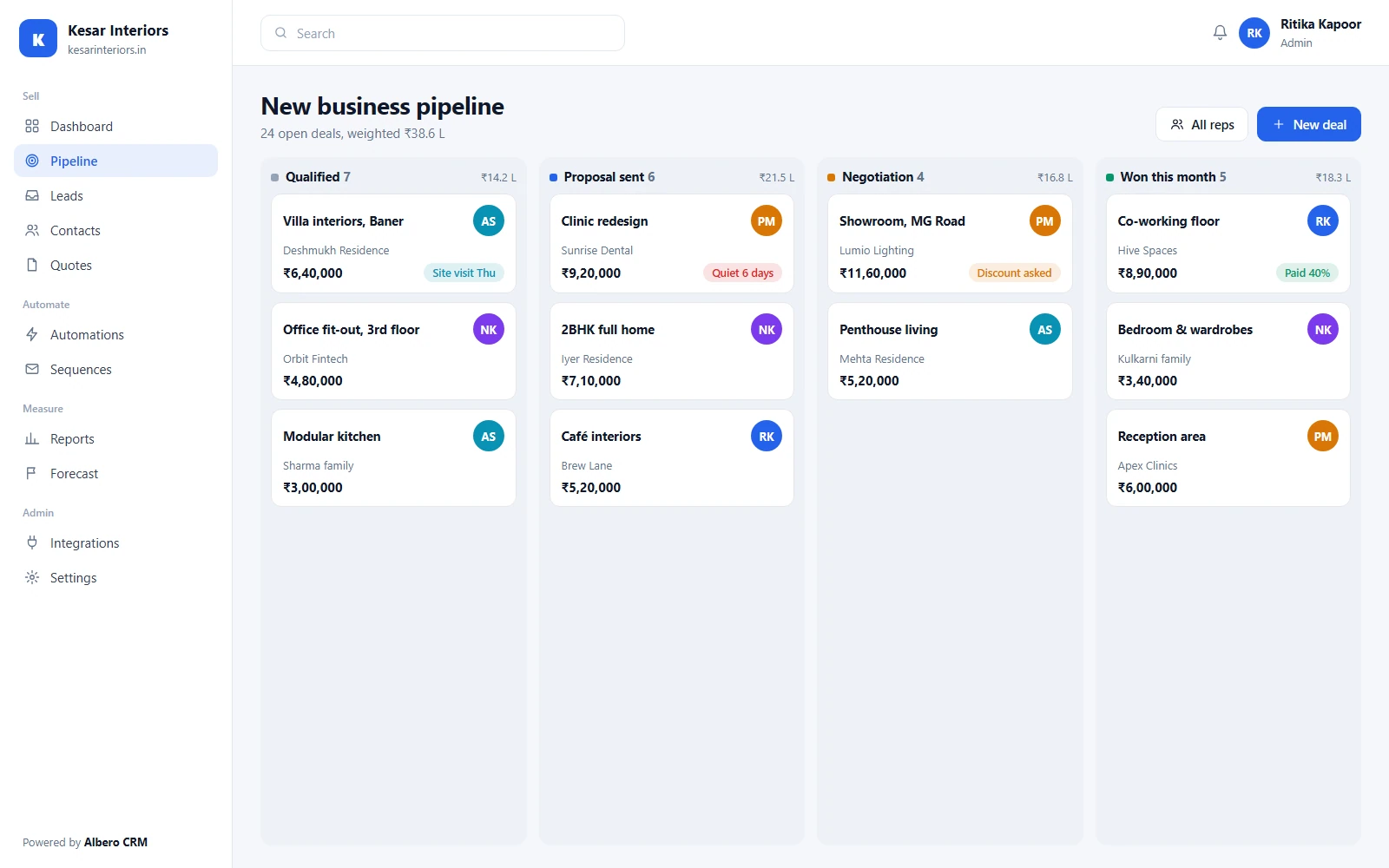
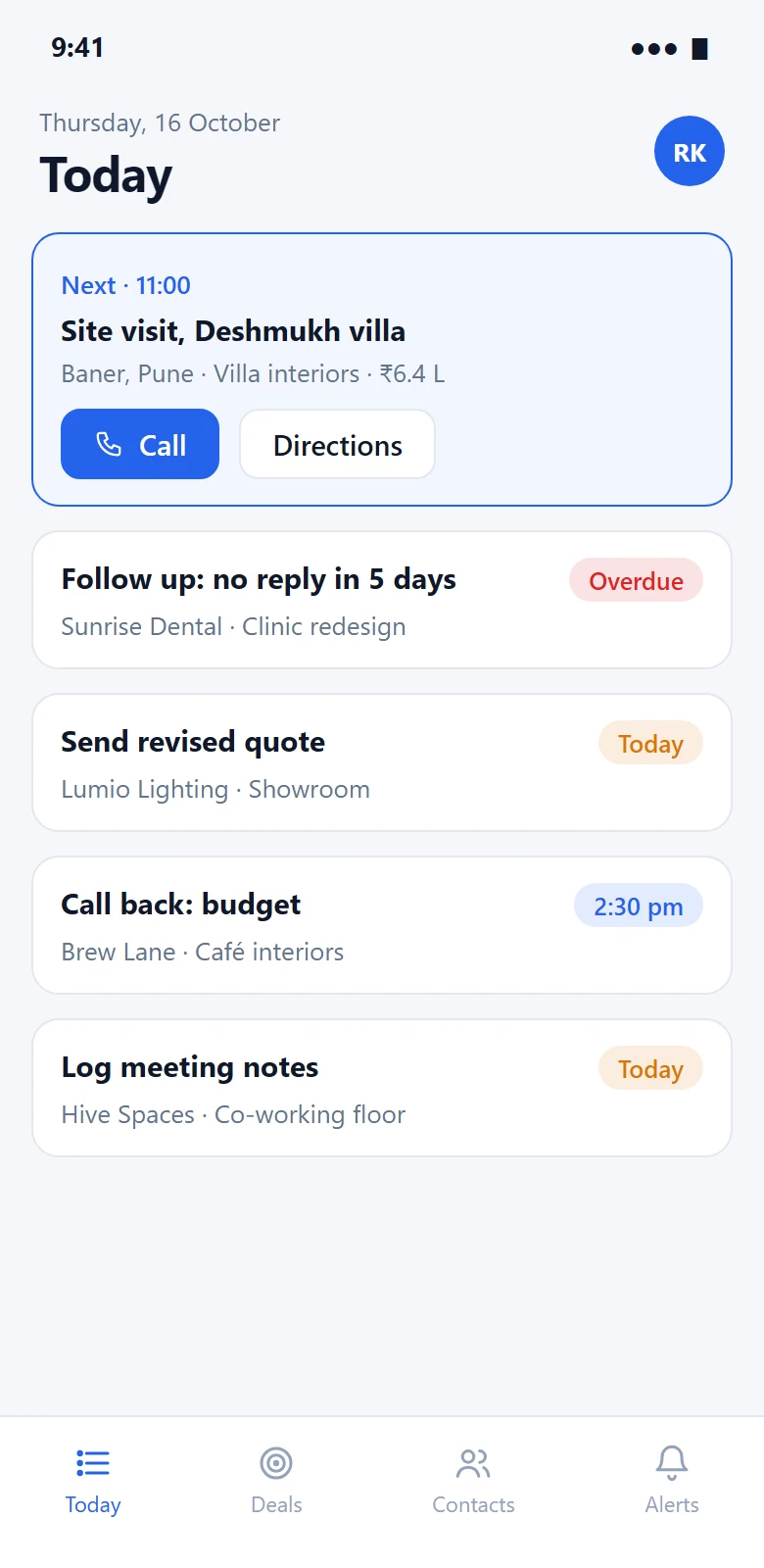
The pipeline on the desk, and the day’s calls on the phone. Sample data.
Every rep keeps their own copy. The manager rebuilds the total on Friday, and it is out of date by Monday.
A lead goes quiet, nobody notices for two weeks, and by then they have bought from someone who called back.
The WhatsApp thread that closed the deal is on one rep’s handset. When they leave, the history leaves with them.
Grouped by the job they do. Every module reads and writes the same contact, so a lead, its calls, its quote and its payment are one history.
Every enquiry lands in one place, with its source, before anyone has to copy it.
4 modulesPeople and the organisations they belong to, with custom fields per team.
Web forms, CSV imports, the API and Meta Lead Ads arrive in one list, tagged with where they came from.
Round-robin, by territory or by product, so a new lead has an owner within the minute.
Matching email or phone is flagged on entry. Nothing is merged without a person deciding.
The pipeline your reps work from, and the conversations behind each deal.
7 modulesDrag deals between stages. Each column shows its count and weighted value.
Separate stages for new business, renewals or each product line.
Calls, meetings and follow-ups with due dates, on the deal they belong to.
Send from your own address with templates. Replies thread onto the contact.
Messages from WhatsApp Business are kept under the contact, visible to the team.
Outcome and notes for every call, so the next person knows what was said.
A quote from the deal’s products and prices, sent as a PDF, with a payment link where you use one.
The follow-ups people forget, done on a rule instead.
3 modulesWhen this happens, check that, then do this: create a task, change a stage, notify an owner.
A set of emails and tasks spaced over days, stopped the moment the lead replies.
Points for the things that predict a sale in your business, with the reasons shown beside the score.
What sales leaders and admins need to run the team, not just watch it.
6 modulesWon revenue, stage conversion, deal age and activity by rep.
Committed, best-case and weighted pipeline by month or quarter.
Group reps into teams and regions, and report on each.
Track what is specific to your sale without a workaround in the notes.
Create and update records from your own systems, and get told when they change.
Who changed a deal, a stage or a setting, and when.
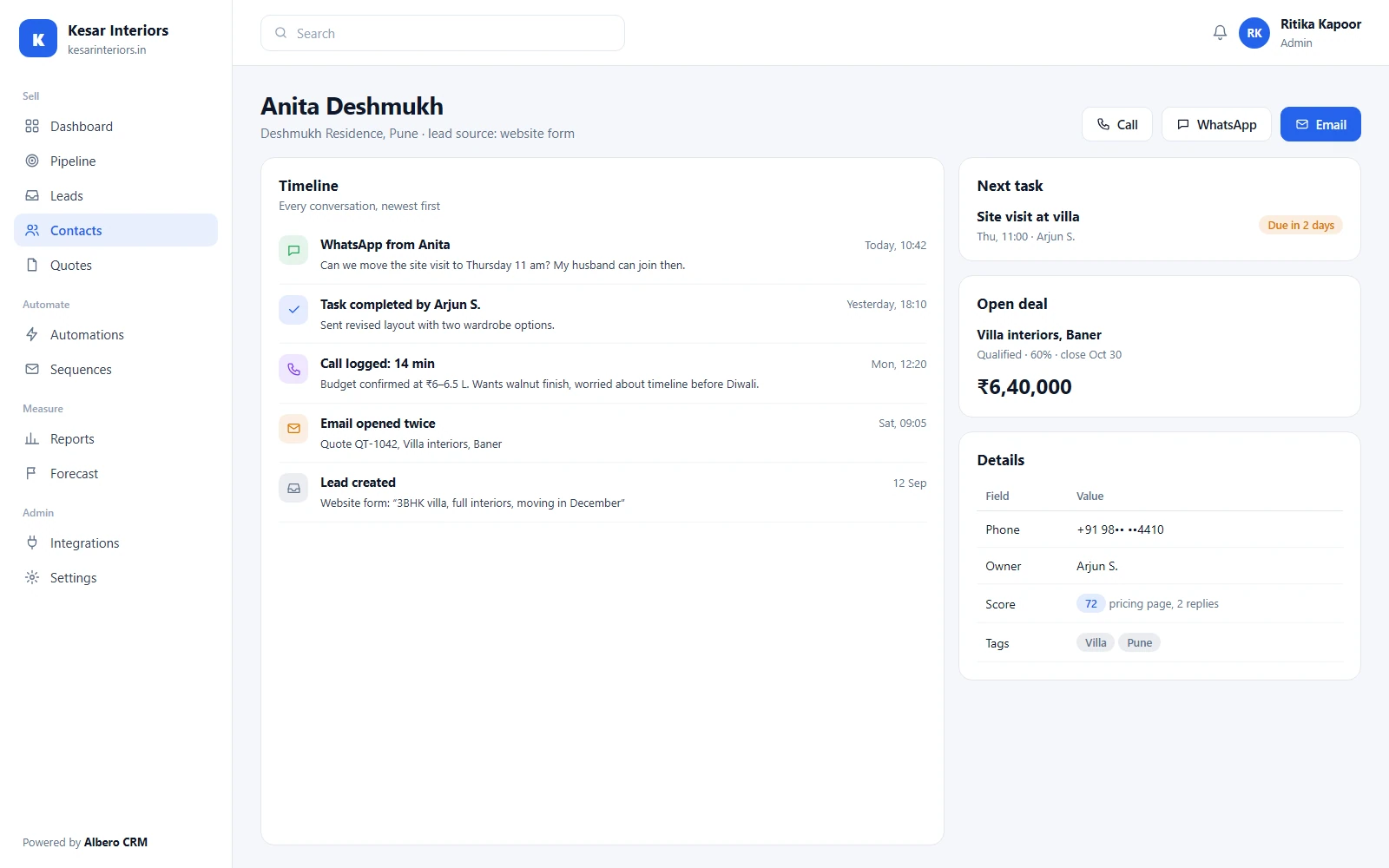
Screens show illustrative sample data.
iOS and Android apps in development
We are building native apps for the work that happens away from a desk.
Until the apps are released, Albero CRM works in the browser on any phone. Release dates will be posted on this page and announced to customers by email.
Access follows the role. A rep works their own deals, a manager sees their team, and finance sees quotes and payments without editing the pipeline.
Sets up pipelines, fields, automations, integrations and users.
Sees and reassigns every deal in their team, and owns the forecast.
Works their own leads and deals, logs activity and sends quotes.
Manages lead sources, forms and sequences, and reads conversion reports.
Reads dashboards and records without changing them. Useful for finance and founders.
| Capability | Admin | Manager | Rep | Marketing | Viewer |
|---|---|---|---|---|---|
| Pipelines, fields & settings | |||||
| Leads & deals | Team | Own | View | View | |
| Reassign deals | Team | ||||
| Quotes & payment links | Own deals | View | |||
| Automations & sequences | View | ||||
| Reports & forecast | Team | Own | |||
| Integrations & API keys |
Scroll the table sideways on a narrow screen.
What every plan includes today. What is not built yet is listed underneath rather than left out.
Five roles with record-level scope: own, team or all. Enforced on the server, not only hidden in the interface.
Traffic is encrypted in transit with TLS, and data is encrypted at rest.
Your workspace is backed up every day, and a backup can be restored on request.
Changes to deals, stages, users and settings are recorded with who made them and when.
Each company’s records are kept apart from every other customer’s.
Contacts, companies, deals and activity export to CSV at any time, on every plan.
We hold no security certification, and we will not imply one. If one of these is a requirement, ask us for its status before you sign.
The assistive features suggest; a person decides. Nothing is sent or changed on its own.
Each score lists the signals behind it, such as a pricing-page visit or a reply, so a rep can disagree with it.
Deals with no activity past the number of days you set are surfaced to their owner.
A first draft from the deal’s stage and history, which the rep edits before sending.
Deals whose close date looks unlikely from their activity are flagged for review.
Lead scoring is on the Pro plan and above, forecasting on Business and above. Your CRM data is not used to train models for anyone else.
Mail, messaging, calendars, payments and lead sources, connected to the same contact record. This is the full list.
Send from your own address and keep replies on the contact.
Conversations logged under the contact, readable by the whole team.
Sign in with Google and keep contacts in step with your directory.
Meetings booked from a deal appear on the rep’s calendar.
Create a meeting link from the deal and log the meeting on it.
Leads from Facebook and Instagram forms arrive in the lead inbox.
Payment links on quotes, with the payment recorded on the deal.
Payment links for customers billed outside India.
Won deals and stalled ones posted to the channel you choose.
The same deal alerts, for teams that work in Teams.
Store customers and orders on the contact timeline.
Any CRM event sent to an endpoint you own.
Most of selling is the same everywhere. These are the parts that differ, and how the CRM is configured for them.
A pipeline per project, leads from portals and WhatsApp, and site visits as tasks.
Enquiry forms, counsellor assignment and admission as the won stage.
Quotes from a product list, proposal stages and renewals in their own pipeline.
Trial, demo and contract stages, with forecasts by quarter.
Dealer and distributor accounts, territories, and repeat orders on the timeline.
Account-based selling to hospitals and clinics, with role-limited access to contacts.
Multi-step approvals as stages, and an audit log of every change.
Shopify customers on the contact, and win-back sequences for lapsed buyers.
Keep working in your current setup until the new pipeline looks right.
Contacts, companies and open deals from CSV, or exported from your current CRM. We map the columns with you.
Your pipeline stages, required fields and the first assignment and follow-up rules.
Add users with their roles, connect email and WhatsApp, and go live.
Every plan includes a free onboarding call. On Business and Enterprise, onboarding is done with you.
Pick the plan that matches how much of the sales process you want automated.
For small teams getting organised.
Billed annually
Choose StarterIncludes
Automation and insight for scaling teams.
Billed annually
Choose ProEverything in Starter, plus
Advanced control for larger sales teams.
Billed annually
Choose BusinessEverything in Pro, plus
Custom workflows and a dedicated manager.
Quoted for your setup
Talk to salesEverything in Business, plus
Minimum 5 users. Prices are in INR and exclude 18% GST. Annual billing is charged up front for the year.
Every plan includes role-based access, encryption, daily backups and CSV export. None of it sits behind a higher tier.
Including the ones where the honest answer is “not yet”.
You do. Export contacts, companies, deals and activity to CSV at any time, on any plan.
Yes. Import from CSV or an export from your current CRM. We map the columns with you on the onboarding call.
Connect a WhatsApp Business account and messages are logged under the matching contact, where the rest of the team can read them.
Native iOS and Android apps are in development. Until they are released, the CRM works in the browser on any phone.
Anyone who signs in. Contacts, leads and customers are never billed as users.
Your workspace stays open until the end of the paid period. Export everything before it closes; we delete it after that, as described in our Privacy Policy.
See it with your own pipeline stages and a sample of your leads.