Status by chasing
The plan is in a sheet, the updates are in chat and the files are in email. Every status report starts with asking around.

Albero PMS keeps projects, tasks, timelines and billable time in one workspace your team and clients share.
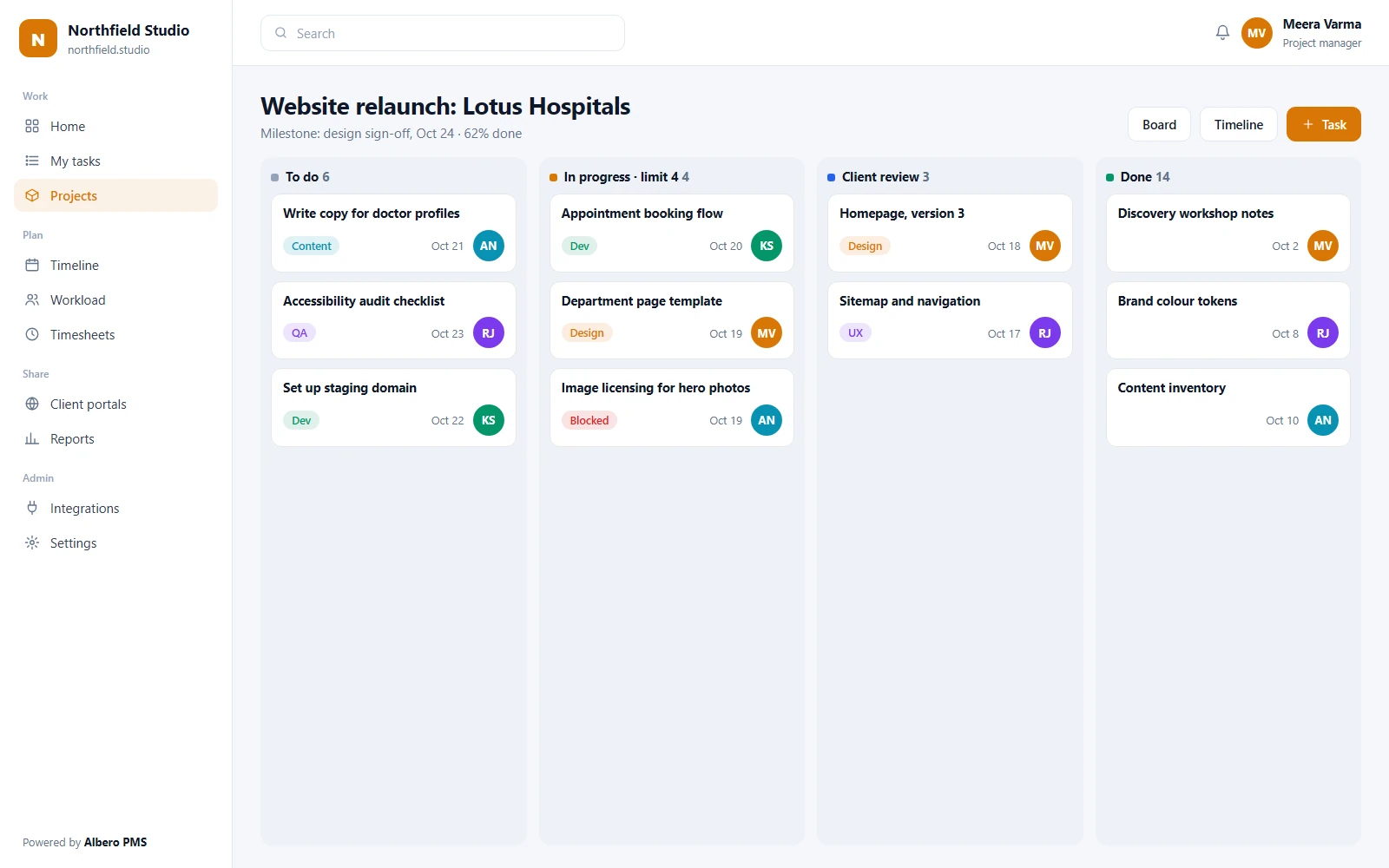
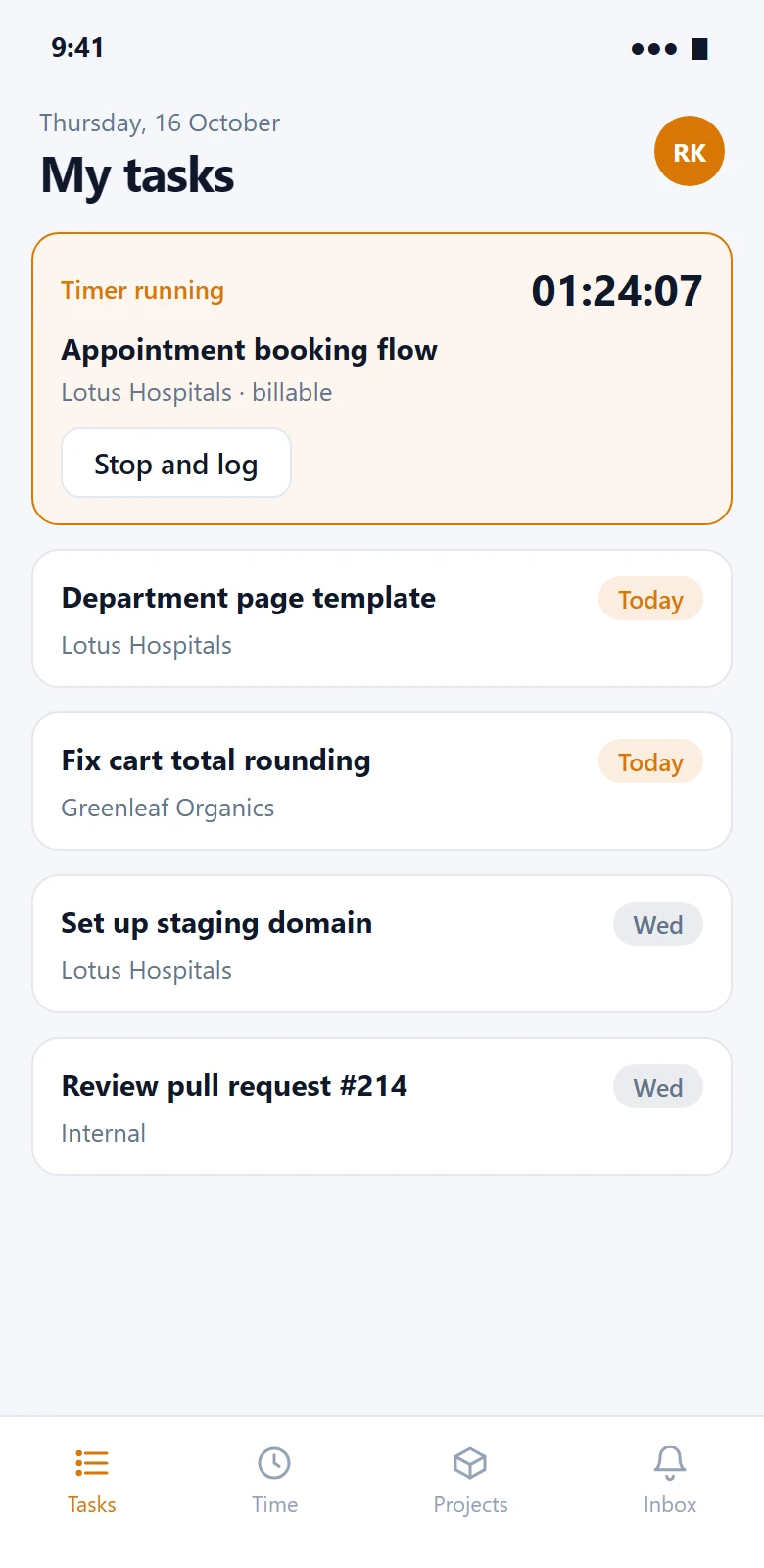
The project board on the desk, and today’s tasks on the phone. Sample data.
The plan is in a sheet, the updates are in chat and the files are in email. Every status report starts with asking around.
One task runs late and nobody sees the three that depend on it until the client deadline is gone.
Time is recorded at the end of the month from memory, and the project that lost money is found after the invoice.
Grouped by the job they do. A task, its hours, its files and its discussion are one record, so the board, the timeline and the invoice agree.
Break a project into work people can pick up, with dates that hold.
4 modulesGroup projects by client, team or programme, each with its own members.
Owners, due dates, priorities, estimates and checklists on every task.
The dates that matter to a client, tracked against the work beneath them.
Finish-to-start links, so moving one task shows what moves with it.
Four ways to see the same work, so each team keeps its habit.
5 modulesSwimlanes and work-in-progress limits per column.
Drag bars to reschedule. The critical path is highlighted.
Sort, filter and edit many tasks at once.
Backlog, sprint planning, story points and a burndown chart.
Assign, move, notify or set a field when a task changes, with no code.
Hours that turn into invoices and margins, not guesses.
4 modulesA timer on every task, or hours entered on a timesheet.
Hours booked per person per week against what they have.
Budget in hours or money per project, with spend to date.
Billable time by client, exported or pushed to your invoicing tool.
The conversation stays on the task it is about.
3 modulesDiscussion on the task, with @mentions that notify.
Attach files to tasks or link them from Google Drive.
A read-only view of chosen projects for clients, without a paid seat.
For the people answering “are we on track?”
4 modulesProgress, overdue work and milestones per project.
Every project’s status, budget and hours on one page.
Create and update projects and tasks from your own systems.
Who changed what in a project, and when.
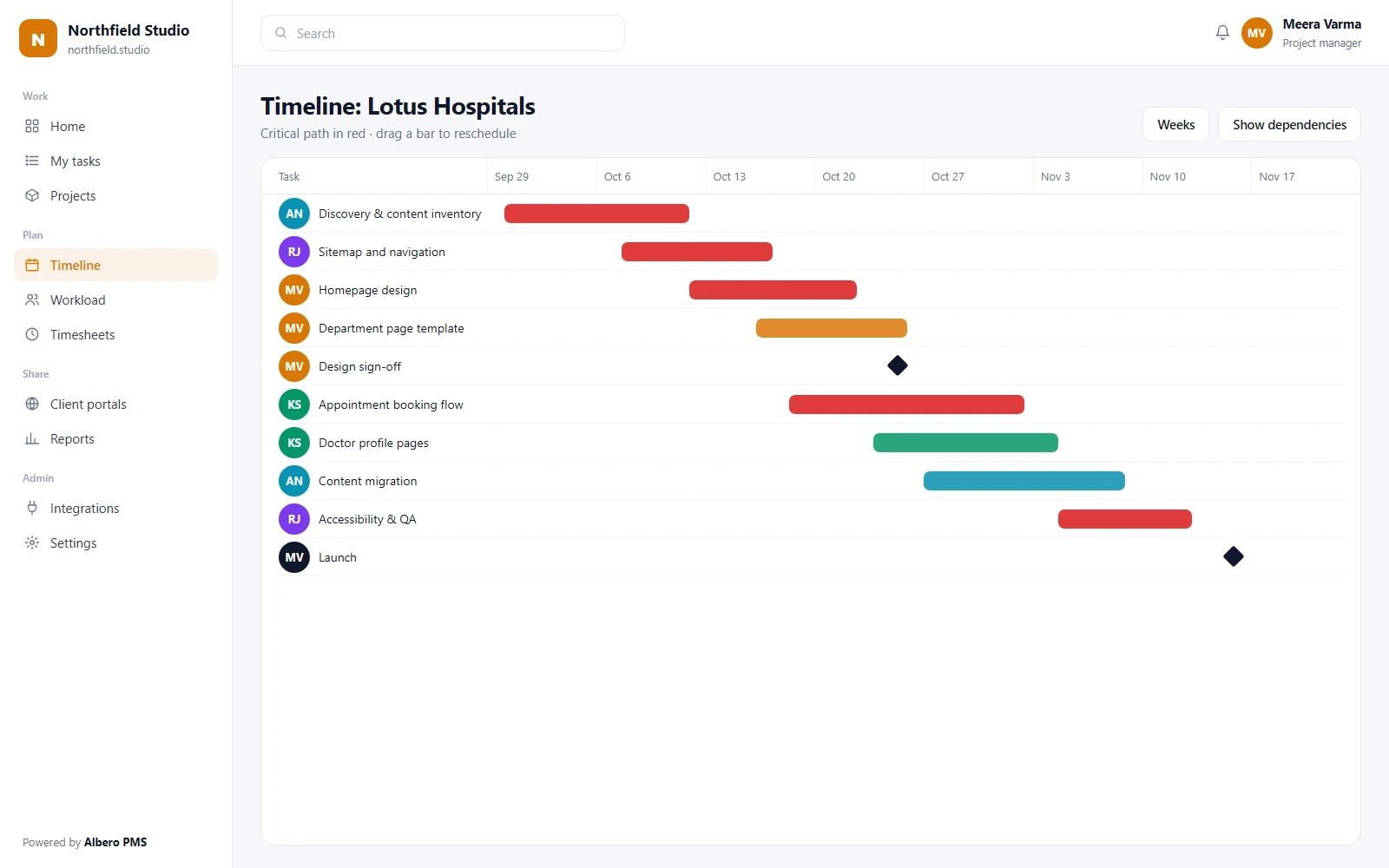
Screens show illustrative sample data.
iOS and Android apps in development
We are building native apps for updates that happen on site and on the move.
Until the apps are released, Albero PMS works in the browser on any phone. Release dates will be posted on this page and announced to customers by email.
People see the projects they are members of. Clients see only what you share with them.
Workspace settings, users, billing rates, integrations and every project.
Creates and runs projects, assigns work, approves timesheets.
Works the tasks assigned to them, logs time and comments.
A freelancer or partner with access to one project.
Reads the portal for the projects shared with them. No editing.
| Capability | Admin | PM | Member | Guest | Client |
|---|---|---|---|---|---|
| Workspace settings & users | |||||
| Create projects | |||||
| Tasks | Assigned | One project | View shared | ||
| Log time | |||||
| Approve timesheets | Own projects | ||||
| Budgets & billing rates | View | ||||
| Reports | Own projects | Own work | Portal only |
Scroll the table sideways on a narrow screen.
What every plan includes today. What is not built yet is listed underneath rather than left out.
People see the projects they belong to. Guests and clients see one project or one portal.
Traffic is encrypted in transit with TLS, and data is encrypted at rest.
Your workspace is backed up every day, and a backup can be restored on request.
Changes to projects, tasks, members and settings are recorded with who and when.
Each company’s projects are kept apart from every other customer’s.
Projects, tasks and timesheets export to CSV at any time.
We hold no security certification, and we will not imply one. If one of these is a requirement, ask us for its status before you sign.
Suggestions a project manager accepts or ignores. Nothing is reassigned or rescheduled on its own.
Paste a brief and get a draft list of tasks and milestones to edit before anything is created.
A weekly summary of what moved, what is late and what is blocked, drafted from the project itself.
Tasks on the critical path that are behind, and people booked past capacity, surfaced to the manager.
Your project data is not used to train models for anyone else.
Chat, code, files, calendars and billing, connected to the same tasks. This is the full list.
Task assignments, mentions and due-date alerts posted where the team talks.
The same alerts for teams that work in Teams.
Commits and pull requests that mention a task appear on it.
The same commit and merge-request links for GitLab teams.
Sign in with Google and invite people from your directory.
Link Drive files to tasks without uploading copies.
Due dates and milestones on your calendar.
Start a meeting link from a task and keep the notes on it.
Notifications and client updates sent from your address.
Design files linked on the task they belong to.
Bill client time through your Stripe account.
Any project event sent to an endpoint you own.
The views are the same. What changes is which one leads, and what gets tracked.
Sprints with story points and burndown, and GitHub or GitLab links on tasks.
A project per client, billable hours by rate, and a client portal per account.
Campaign boards, content calendars and approval stages.
Gantt timelines with milestones, and photo updates from site.
Budgets in hours, timesheet approval and portfolio reporting.
Dependency-heavy implementation plans with an audit log of changes.
Recurring operational projects with automation for hand-offs.
Term or production schedules as timelines, with owners per stage.
Bring live projects across first, and leave finished ones where they are.
From CSV, or exports from Jira, Asana, Trello or Monday.com. We map the columns with you.
Choose each project’s default view, statuses and the first automations.
Add members with their roles, then share portals with clients when you are ready.
Every plan includes a free onboarding call. On Enterprise, migration is done with you.
Clients on the portal never take a paid seat.
For growing teams.
Billed annually
Choose TeamIncludes
Full control for delivery teams.
Billed annually
Choose BusinessEverything in Team, plus
Custom setup and deployment.
Quoted for your setup
Talk to salesEverything in Business, plus
Minimum 5 users. Prices are in INR and exclude 18% GST. Annual billing is charged up front for the year.
Every plan includes project-level access, encryption, daily backups and CSV export.
Including the ones where the honest answer is “not yet”.
Yes. Run sprints with a backlog and burndown, a Kanban board with limits, or a Gantt timeline with milestones. Choose per project.
Yes, from their CSV exports. We map the fields with you on the onboarding call.
No. Clients read a portal for the projects you share. They cannot edit, and they are not billed.
Yes, on every plan: timers and timesheets. Billable rates and budgets are on Business.
Native iOS and Android apps are in development. Until they are released, Albero PMS works in the browser on any phone.
Your workspace stays open until the end of the paid period. Export projects, tasks and timesheets before it closes.
See it with one of your own projects loaded in.